Every update people would notice, newest first. Most of them start with feedback, so tell us what you'd like next.
Daily reminders and your week by email
Version 1.9.0 · 10 October 2026
A weekly recap by email, every Monday morning. Last week's minutes, the days you showed up, your best day and how each practice went, with one small suggestion for the week ahead. Turn it off any time in Setup › Notifications and privacy.
A short note if you've been away for a few days, with one small way back in: 5 minutes of your shortest practice. Just one per break, and no making up for missed days.
A daily reminder on your phone, at a time you choose. After your first minutes of the day, TikTym offers to remind you tomorrow; it names what's still left and stays quiet once your day is clear. Change the time or turn it off in Setup. On iPhone, it works once TikTym is on your home screen.
The number of practices left today on TikTym's icon, on iPhone (from the home screen) and on computers where TikTym is installed. It clears when your day is clear. Turn it off in Setup.
100 minutes a day for your productive life
Version 1.8.0 · 10 October 2026
Help adding TikTym to your home screen. After your first minutes, a card shows how on your phone: one Install button on Android, the two Safari steps on iPhone, or how to open TikTym in your browser if a link opened inside WhatsApp or Instagram. It's also in Setup any time.
A new promise: 100 minutes a day for your productive life. 30 minutes to move, 30 to read, 30 to grow and 10 to breathe, the four practices every new account starts with. Busy days still carry forward.
Notifications and privacy in Setup: switches for each kind of email (tips and reminders, weekly recap, news) and for usage statistics. They're on from the start, and each turns off with one tap.
A welcome email when you start, with the practices you chose and how to add TikTym to your home screen, and a gentle nudge a day later if you haven't logged your first minutes. Every email has an unsubscribe link.
Updated Privacy Policy and Terms explaining what's on and how to turn it off.
Small things from your feedback
Version 1.7.2 · 9 October 2026
Follow TikTym on LinkedIn from Setup › About, for tips and updates.
A running timer now says "12 min" on its button in Today, instead of "12′". Thanks, Gopi Aitham, for pointing it out.
What's new in Setup › About opens this page.
Google sign-in comes first
Version 1.7.1 · 9 October 2026
Continue with Google is now the main button on the sign-in screen: two taps, nothing to type. Email and password are still there, just below.
Choose what you want to make time for
Version 1.7.0 · 9 October 2026
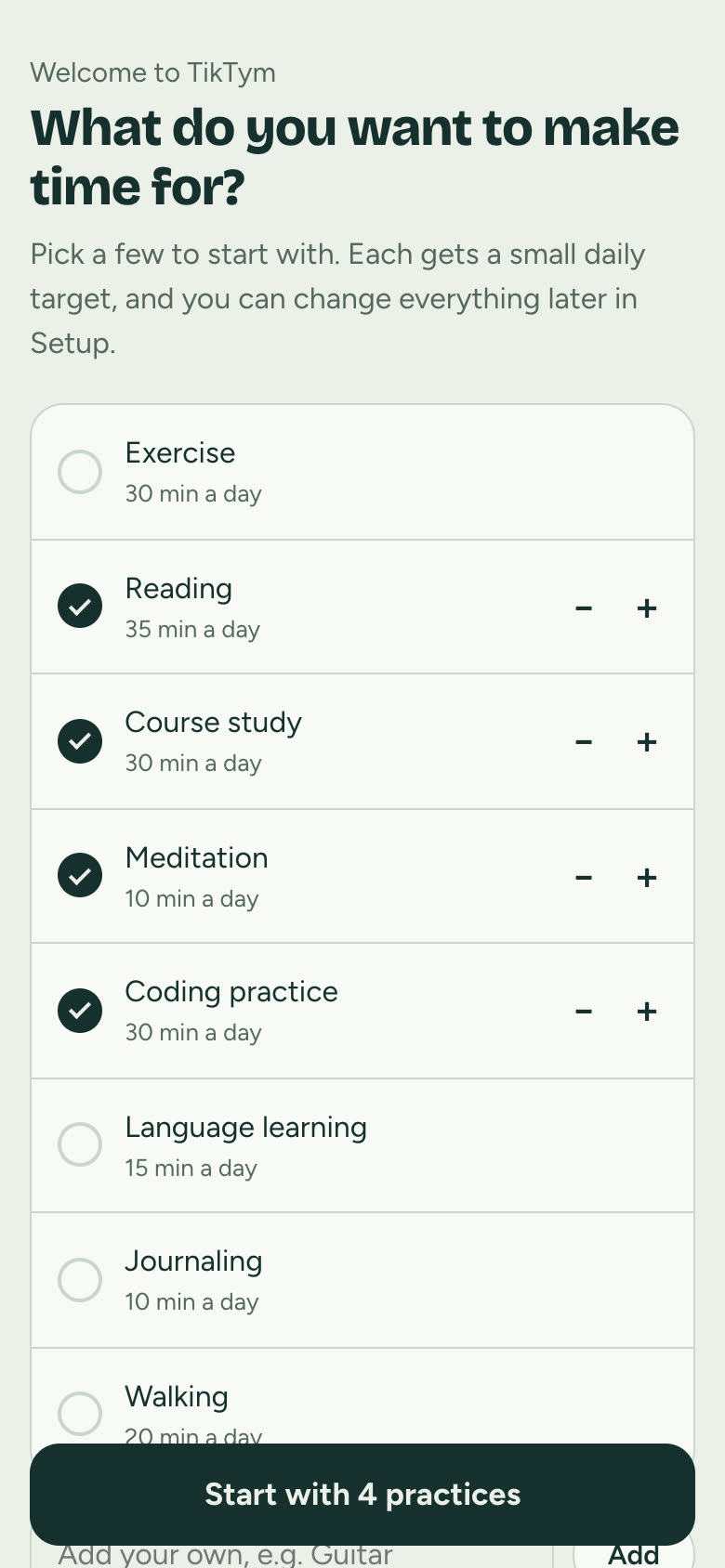
New accounts start by choosing their practices: pick from suggestions like Course study, Reading, Exercise, Coding practice or Language learning, or add your own.
Set the daily minutes for each with − and + before you begin. You can change everything later in Setup.
No more blank screen on slow connections
Version 1.6.2 · 8 October 2026
TikTym shows a loading screen straight away, and tells you if your connection is slow, offline, or worth a reload, instead of a blank page.
The first screen appears sooner, without waiting for fonts to download.
Nothing lost when you close the app
Version 1.6.1 · 8 October 2026
Minutes you log just before closing the app are always kept, and saved to your account the next time it opens.
Edit entries and reorder practices
Version 1.6.0 · 8 October 2026
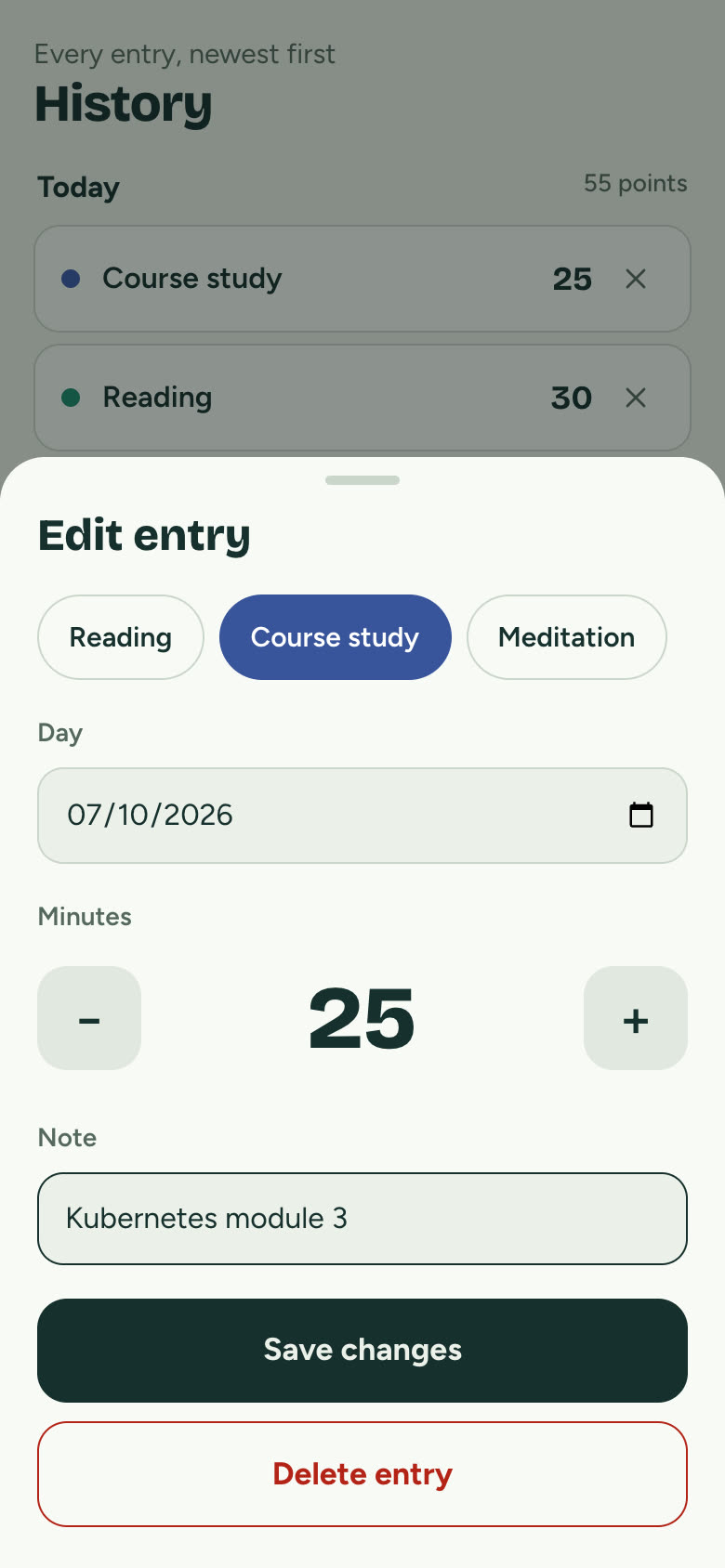
Edit a logged entry: tap it in History to change its practice, day, minutes or note.
Reorder your practices with the up and down arrows in Setup. Today follows the new order.
A new home: app.tiktym.com. The old address still works and sends you there.
Easier to read in dark and light mode, with better contrast across every screen.
Share your progress
Version 1.4.0 · 8 October 2026
A progress card in Insights: this month's time, your streak and top practices, ready to share on LinkedIn or WhatsApp, with practice names hidden if you prefer.
Your privacy, your choice
Version 1.3.0 · 8 October 2026
Usage statistics only with your permission: an unticked box when you sign up, and a switch in Setup › Privacy to change your mind at any time.
Feedback and better links
Version 1.2.0 · 8 October 2026
Send feedback from Setup › About, straight to the people who build TikTym.
Links to TikTym look good when shared on WhatsApp, LinkedIn and X.
The goal chime plays right on time on iPhone.
TikTym launches
Version 1.0.0 · 8 October 2026
One minute, one point. Set a small daily target for each practice and log minutes with one tap, or let the focus timer log them for you.
Busy weeks carry forward, but never pile up. Missed minutes carry into the next day, up to a limit you choose.
Insights show your streaks, consistency, and the time of day you practise best.
Works on any phone and offline. Add it to your home screen; your data syncs to your account and is stored in India.
We count visits with Google Analytics to see what's useful. No advertising. Privacy Policy
 TikTym